Nepal Ko Kanoon: Free Legal Fee & Tax Calculators
Khatapana
October 16, 2026 5 min read
 Reviewed by Kailash Panday, Chartered Accountant & Corporate Lawyer

Find court fees, company registration costs, late-filing penalties and land taxes in Nepal. Explore four free calculators in the Nepal Ko Kanoon app.
Nepal Ko Kanoon is a free legal app featuring four calculators that help you estimate court fees, company registration fees, company late-filing penalties, and land registration fees and capital gains tax.
Instead of relying on conflicting estimates, you can calculate potential costs and check the legal references behind the results.
In this guide, we explain how each calculator works, who can benefit from it, and how Nepal Ko Kanoon can help you plan your legal and business-related expenses.
What Is the Nepalko Kanoon App?
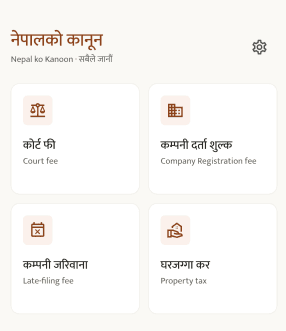
Nepalko Kanoon (नेपालको कानून) is a free app that puts the legal information people need most in one place. Its tagline is "Nepal's law, in your pocket," and you can download it from the Apple App Store or Google Play.
The app is built for two groups. Everyday Nepalis and business owners can use its free legal calculators to estimate costs before they visit a court, the Office of the Company Registrar or a land office. Lawyers are the second group, and the team is building cause-list tracking and hearing alerts for them (more on that below).
Three things set the app apart. It is free. It shows results in plain Nepali and English. And every result cites the law behind the number, so you are not just trusting a figure, you can see where it came from.
Court Fee Calculator Nepal: Know Your Filing Fee Before You Go
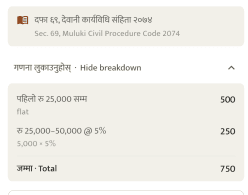
Filing a case in Nepal means paying a court fee, and for most money-related civil cases the amount depends on how much you are claiming. If you have ever wondered how to calculate court fee in Nepal, the rules sit in the National Civil Procedure Code, 2074 (2017). Working out the right slab (a range of claim amounts, each with its own rate) by hand is easy to get wrong.
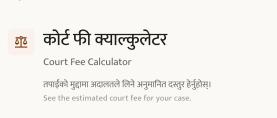
The Court Fee Calculator in the Nepalko Kanoon app does this for you. You enter your claim amount and choose the court, anywhere from a District Court up to the Supreme Court, and the app shows the filing fee. Because the result cites the law, you can show your working to a lawyer or a court official instead of just quoting a number.
This helps before you hire a lawyer, when you budget for a dispute, or when you want to check a quoted fee. The court fee is only one part of a case's cost, and lawyer fees and other expenses are separate.
How to Calculate Court Fees in Nepal
- Open the Nepalko Kanoon app and tap the Court Fee Calculator.
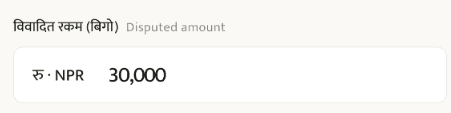
- Enter your disputed amount.
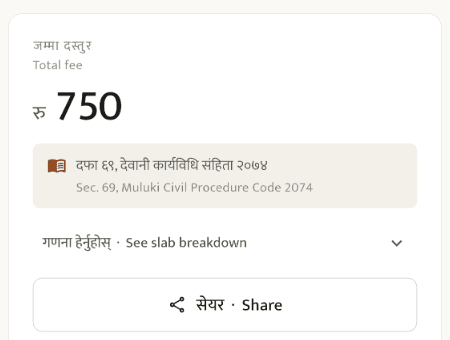
- Check the law cited in the grey box under the fee. Your example shows Sec. 69, Muluki Civil Procedure Code 2074.
Company Registration Fee Nepal: What Will It Really Cost?
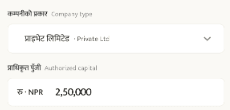
Starting a company is exciting, but the first question is usually a practical one: how much does it cost to register a company in Nepal? Companies are registered with the Office of the Company Registrar (OCR), and the government registration fee depends on the company's authorized capital. Authorized capital is the maximum amount of share capital a company is allowed to issue, as stated in its registration documents.
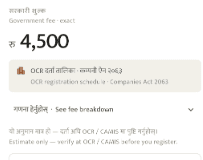
The Company Registration Fee calculator lets you enter your authorized capital and see the OCR registration fee that applies, before you start filling in forms.
One important point: the OCR registration fee is not the whole bill. Other costs, such as name reservation, notarisation and professional fees for drafting or accounting, can add to the total. Use the calculator for the government fee, then budget separately for the rest.
How to Calculate Company Registration Fees in Nepal
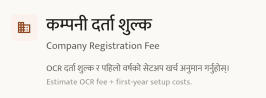
- Open the Company Registration Fee.
- Enter the Company Type.
- Check the total registration fee.
Company Annual Return Late Penalty Nepal: Check Before It Grows
Registering a company is only the start. Every registered company must also file an annual return with the OCR each year under the Companies Act, 2063 (2006). An annual return is a yearly update that tells the OCR who owns and runs the company and how it is doing. Miss the deadline and penalties can apply. If a company keeps defaulting year after year, the consequences can become more serious.
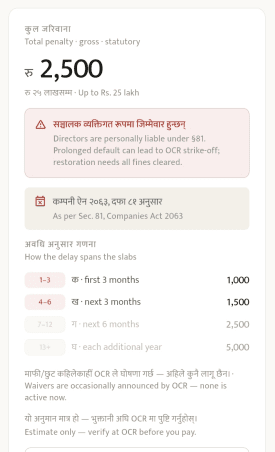
The Company Penalty Calculator in the app shows the late-filing penalty under the Companies Act, so you can see what a delay costs before it grows. If you have been asking what the company annual return late penalty in Nepal is, or whether an OCR late filing fine applies to your case, this gives you an answer tied to the law rather than a guess. You may also hear this yearly update called company renewal.
Deadlines can depend on your company type, your annual general meeting (AGM, the yearly meeting where shareholders review the company's performance) and your fiscal year end. Confirm the exact date that applies to you with the OCR or your accountant.
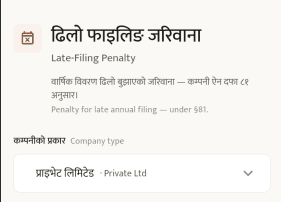
How to Use the Late-Filing Penalty Calculator in 3 Steps
1. Open the Late-Filing Penalty calculator.
2. Enter your company details. 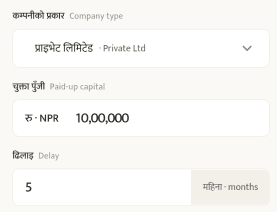
3. Check the total penalty.
Nepal Land Registration Fees and Capital Gains Tax in Nepal
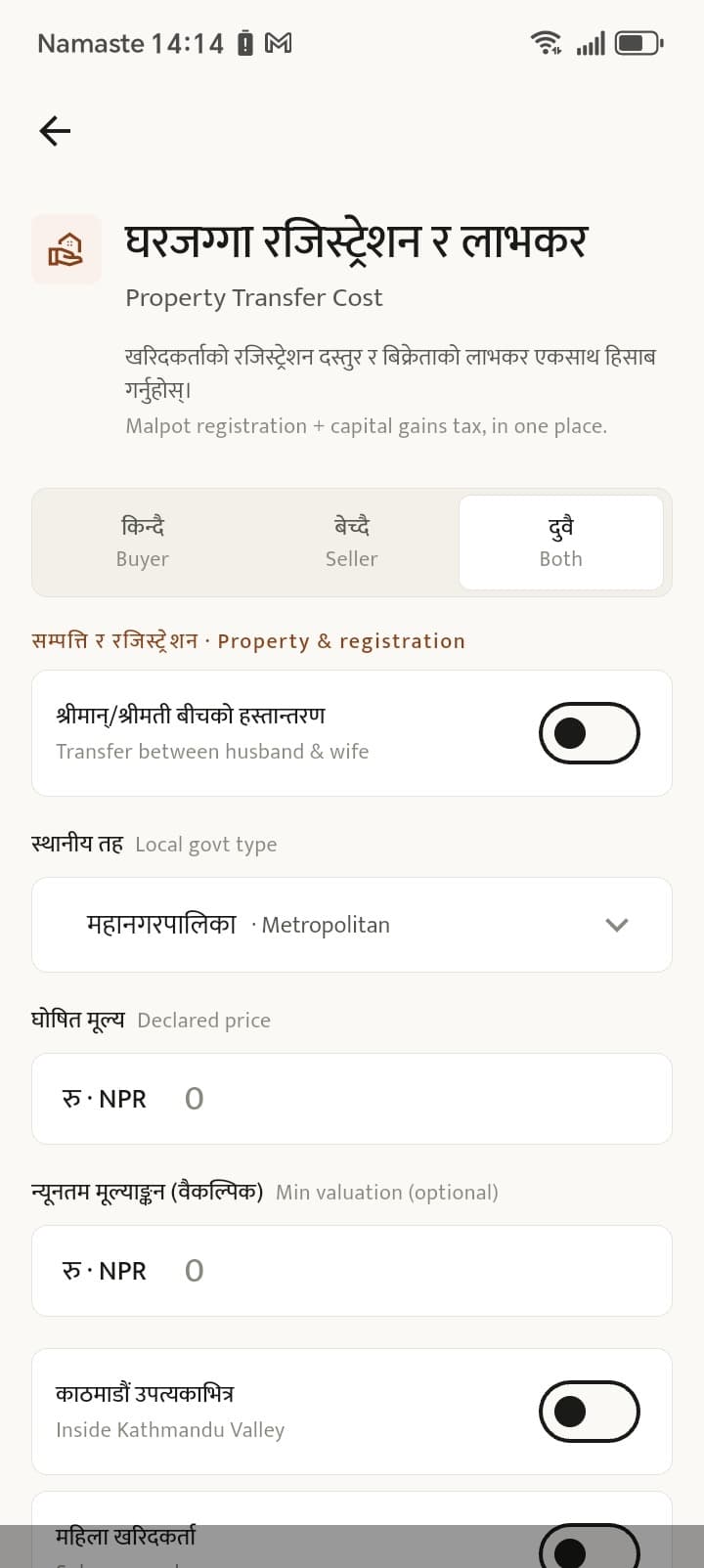
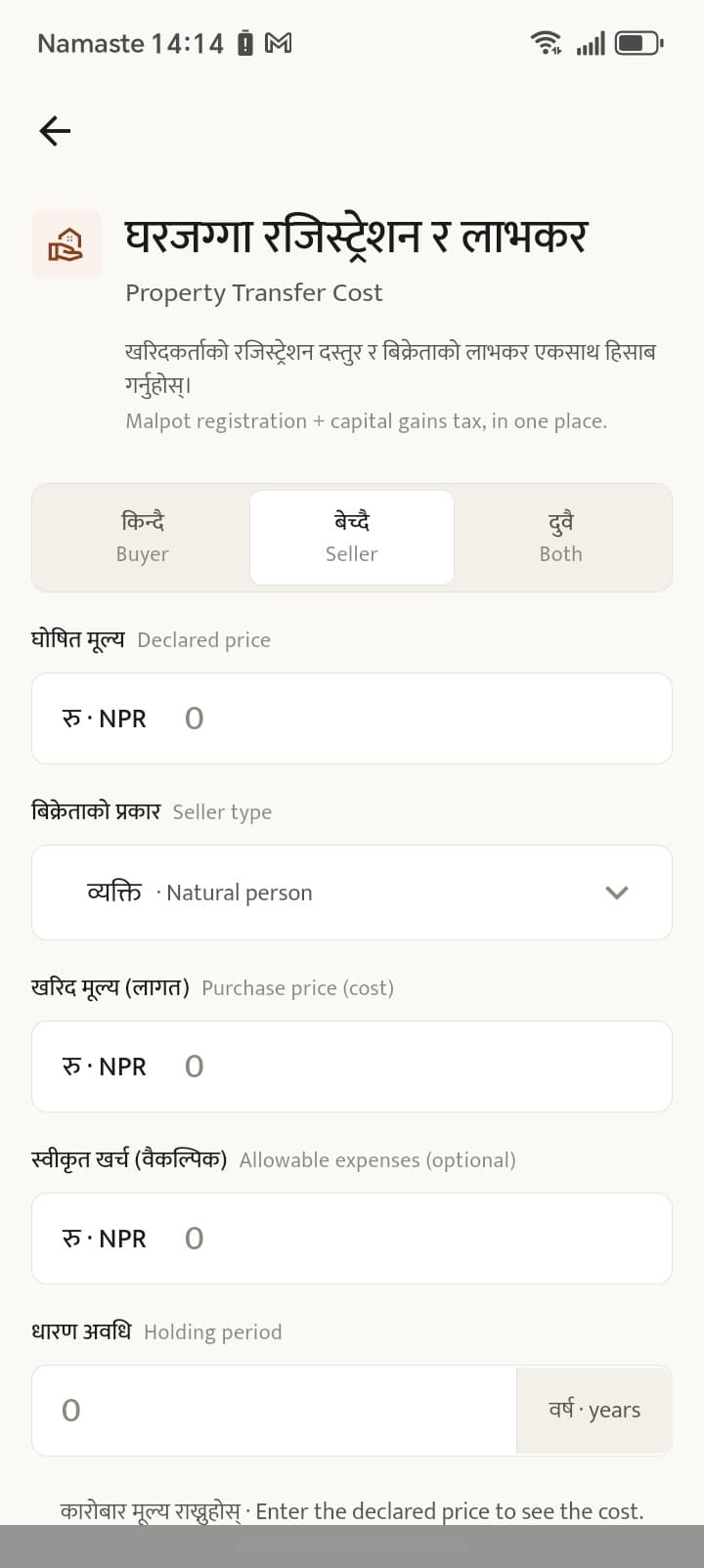
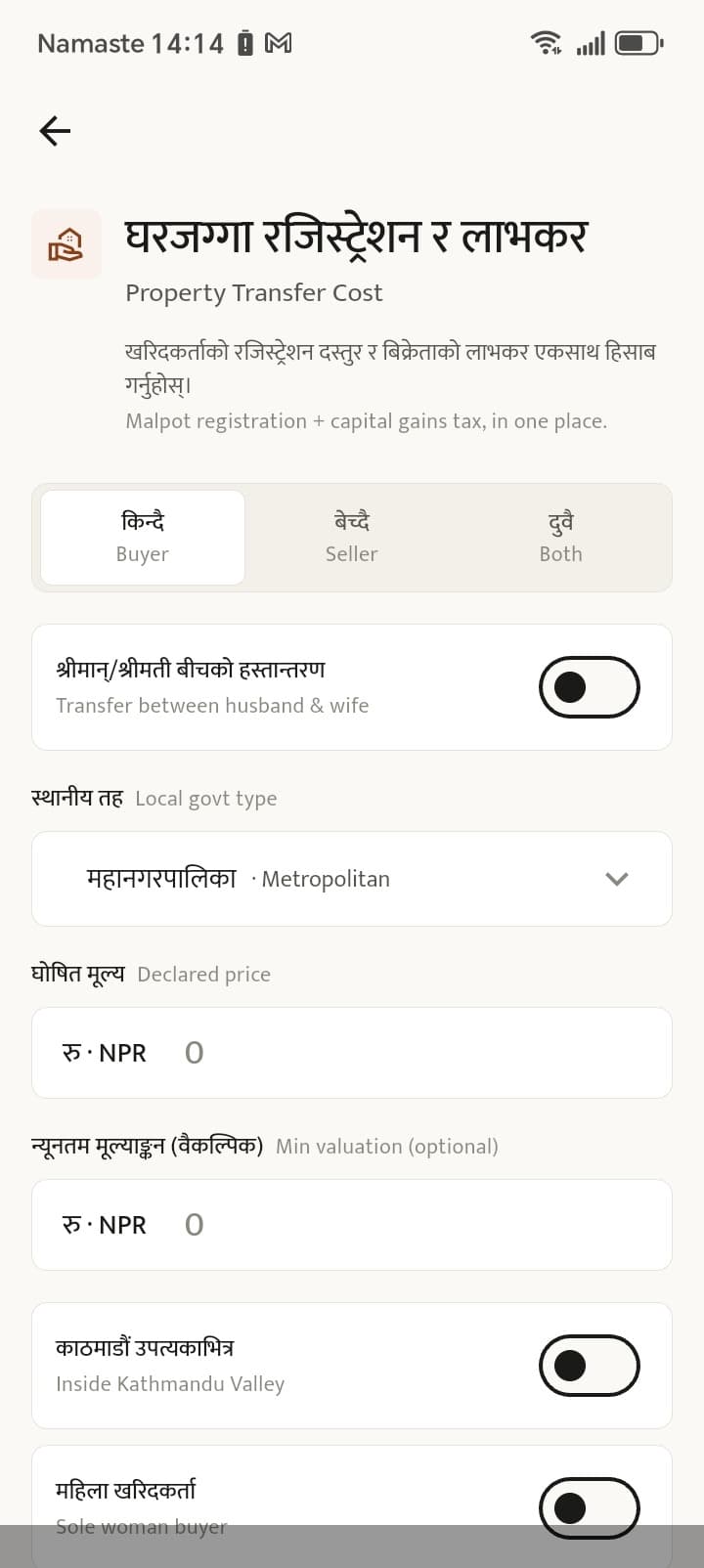
Buying or selling land involves two separate bills, and they fall on different people. The buyer pays the registration fee, often called the malpot registration fee, at the Land Revenue Office (Malpot Karyalaya). The seller pays capital gains tax, which is a tax on the profit made from the sale, not on the full sale price.
Both are usually settled at the time of registration, and the rates can depend on where the property is. That is one reason quotes vary so widely from person to person. The Land & Property Tax calculator in the Nepalko Kanoon app covers both sides: the registration fee for buyers and capital gains tax for sellers.
Buyers can plan for the land registration fee in Nepal before reaching the office. Sellers can work out how much capital gains tax on land in Nepal they may owe and what they are likely to keep.
Why "Every Result Cites the Law" Matters
Search for any of these fees online and you will often find different numbers on different websites. Rates change, old posts stay online, and figures get copied without a source.
A number that points to the Act it came from is different. You can check it, and a lawyer, a bank or a government office can verify it too. That is why Nepalko Kanoon shows the law behind each result. It turns a tool that gives you an answer into one that lets you confirm the answer.
These calculators are meant to help you plan and estimate. For official confirmation in your own case, check with the relevant court or office, or speak to a qualified lawyer.
How to Download the Nepalko Kanoon App
The Nepalko Kanoon app is free to download on both major platforms:
iPhone: Nepalko Kanoon on the Apple App Store
Android: Nepalko Kanoon on Google Play
You can also learn more at nepalkokanoon.com.
Before you file a case, register a company or sign a land deal, check the cost first, with the law shown for every number.
Frequently Asked Questions
Is the Nepalko Kanoon app free?
Yes. The app and its calculators are free to download and use.
What can the Nepalko Kanoon app do?
It has four calculators: court fee, company registration fee, land and property tax (registration fee and capital gains tax), and company late-filing penalty. Each result cites the law behind the number.
How do I calculate court fee in Nepal?
The fee depends on your claim amount and the court. Enter these in the Court Fee Calculator to see the filing fee under the National Civil Procedure Code, 2074.
How much does it cost to register a company in Nepal?
The OCR registration fee depends on your company's authorized capital. The calculator shows the government fee, but other costs such as name reservation and professional fees are separate.
Who pays the malpot registration fee and capital gains tax on land?
The buyer pays the registration fee at the Land Revenue Office. The seller pays capital gains tax on the profit from the sale.
What is the penalty for filing a company annual return late in Nepal?
Penalties apply under the Companies Act, 2063. The amount depends on your case, so use the Company Penalty Calculator and confirm with the OCR.
Does the app replace a lawyer?
No. It gives estimates and cites the law to help you plan. For advice on your own case, speak to a qualified lawyer or the relevant office.
Starting a business in Nepal?
Register your company online — name reservation, MOA/AOA, PAN/VAT and OCR filings, all in one place.


Related Blogs



Subscribe to our newsletter
Get latest news and updates directly to your email.